

Bandwidth Meter Pro 2.4 Build 569
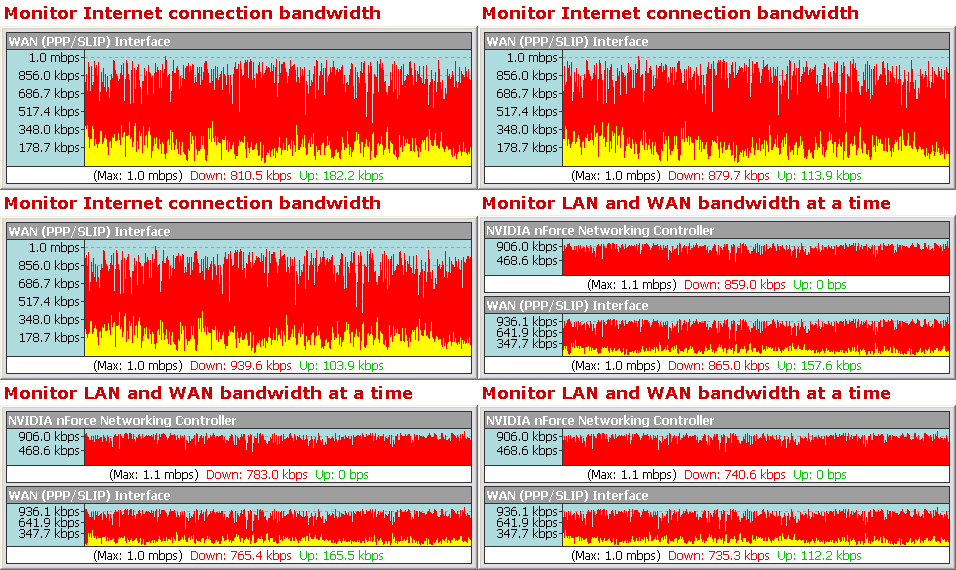
Bandwidth Meter Pro - это простая в использовании сетевая программа для слежения и подготовки отчетов о коэффициенте использования полосы частот. Программа следит за трафиком всех сетевых соединений на вашем компьютере и отображает графическую и числовую скорость скачивания и загрузки в реальном временив. Программа записывает в журнал коэффициент использования полосы частот и обеспечивает информацию о том, сколько полосы частот было использовано каждым сетевым соединением на вашем компьютере каждый день, неделю и месяц.
Bandwidth Meter Pro работает со всеми типами сетевых соединений, включая модем, ISDN, DSL, ADSL, кабельный модем, беспроводные сетевые карты, карты Ethernet и другие. Программа полностью совместима с Windows 98, Windows NT 4.0, Windows 2000, Windows XP и Windows 2003.
ScreenShots:
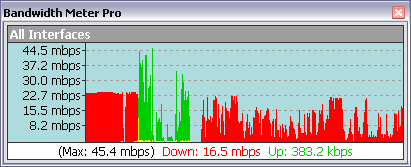
Monitor All Network Connections Bandwidth
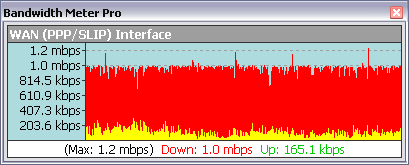
Monitor WAN Connection Bandwidth
Monitor LAN Connection Bandwidth
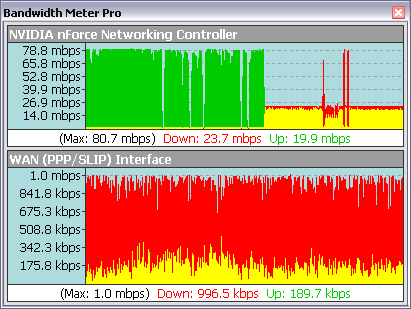
Monitor WAN and LAN Connections Bandwidth
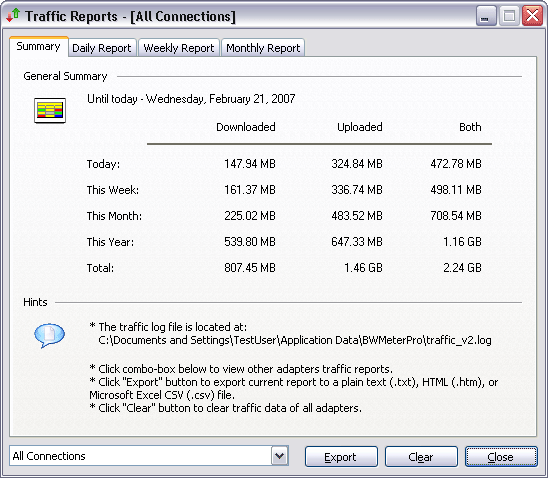
Network Traffic Summary Report
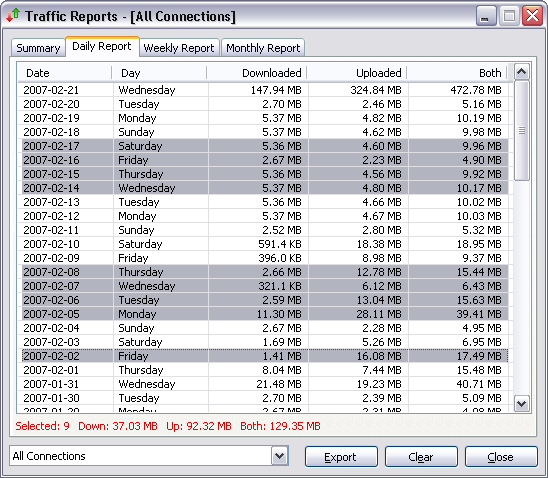
Daily Network Traffic Report
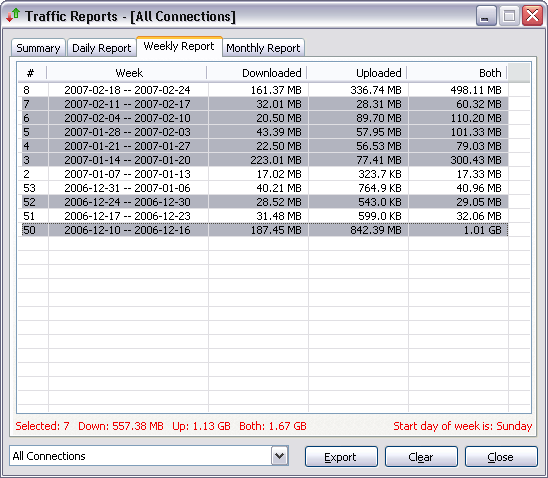
Weekly Network Traffic Report
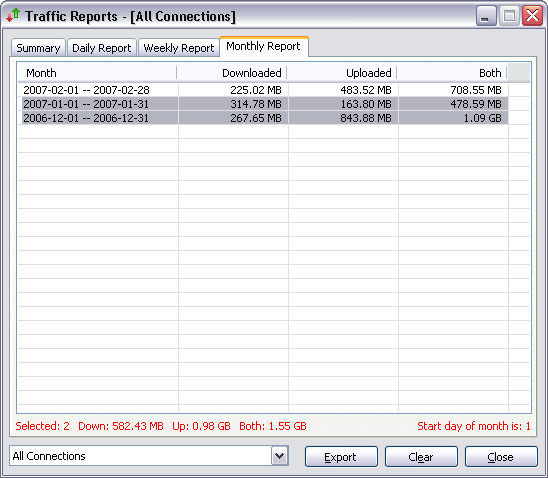
Monthly Network Traffic Report
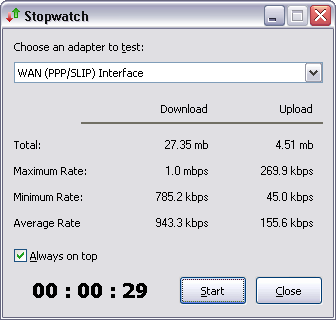
Stopwatch
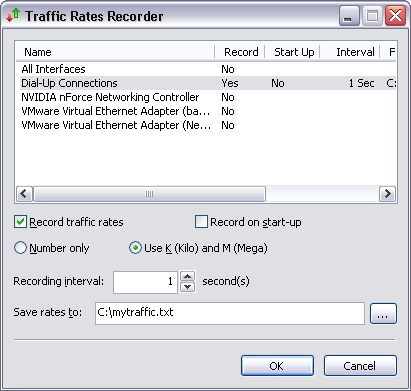
Traffic Rates Recorder
Top 9 Benefits of Bandwidth Meter Pro:
» See your bandwidth speed visually
Bandwidth Meter Pro monitors network traffic through your computer and displays graphical and numerical download and upload speeds in real-time. You can use the software to measure the bandwidth speed of your LAN or WAN connections.
» Get realtime Internet bandwidth usage
If you're using a dial-up connection (e.g. modem, ISDN, DSL, ADSL, cable modem) to connect to Internet, you can get the Internet bandwidth usage in real time and the total bandwidth usage to avoid overshooting your Broadband limitation.
» Monitor multiple network connections bandwidth speed
It's very useful if your computer has multiple network connections (LAN and WAN) and you want to monitor more than one network connections bandwidth speed at the same time.
» Daily, weekly and monthly bandwidth usage reports
Bandwidth Meter Pro logs network traffic and provides daily, weekly, monthly and summary bandwidth usage reports.
» Bandwidth usage notification
If you're using a bandwidth limited Internet connect, you may need to get an notification when you exceed the limitation for the connection. It's available in Bandwidth Meter Pro as well.
» Test download and upload speeds of your network connections
The built-in speeds stopwatch can help you to test the download and upload speeds of a network connection in a user-specified period.
» Record traffic rates of a specified connection
Bandwidth Meter Pro provides a useful tool - traffic rates recorder, which records download and upload speeds of one or more connections and export to a text or Microsoft Excel .csv file.
» No extra drivers needed
The Bandwidth Monitor doesn't install extra drivers to your computer. This will keep your system clean and reliable.
» Small, simple, accurate and reliable
Size of Bandwidth Meter Pro is less than 1 MB; it has a simple interface, and it displays the accurate bandwidth speed and uses very low resources.
Bandwidth Meter Pro Key Features:
• Network connections bandwidth monitoring
• Internet connections bandwidth monitoring
• Real-time graphical and numerical bandwidth speed displaying
• Monitor multiple network connections at a time
• Speed rates scale
• Works with majority network connections including modem, ISDN, DSL, ADSL, cable modem, wireless network cards, Ethernet cards, VPN, and more
• Scalable to your own modem download capabilities
• Provides daily, weekly, monthly and summary bandwidth usage reports, plus exports to a plain text, HTML, or Microsoft Excel .csv file
• Readout in either KB/sec (kilobytes per second) or >kbps (kilobits per second)
• Bandwidth usage notification (notify user by playing sound, computer beep, sending email, running a program)
• Download and upload speeds stopwatch
• Customize colors and fonts
• Show real-time network traffic graph in system tray
• Show time in traffic graph
• Show traffic graph in line or column style; and column width and space can be customized
• Show average download and upload lines in traffic graph
• Includes complete window configuration and view options
• Requires minimal system resources
• Full compatible with Windows 98, Windows Me, Windows NT 4.0, Windows 2000, Windows XP, Windows 2003, and Windows Vista
Bandwidth Meter Pro News:
▫ 22 April, 2008 Bandwidth Meter Pro v2.4 build 569 released new
▫ Sends an notification email when exceeding bandwidth usage limit
▫ Runs a program when exceeding bandwidth usage limit
▫ Enables to set a custom days for bandwidth usage notification
▫ Shows real-time network traffic graph in system tray
▫ Shows adapter name and IP address in tray tips
▫ Shows time in traffic graph
▫ Enables to set scale and time fonts
▫ Enables to set colors for border, title background, title text, rate background, rate text, scale text, time grid, and time text
▫ Shows traffic graph in line style
▫ Shows average download and upload lines in traffic graph
▫ Enables to customize column width and space
▫ Enables to customize grid line style (dot/solid/dash/dashdot/dashdotdot) of scale and time
▫ Enables to customize time format (HH:MM:SS / HH:MM / MM:SS)
▫ Enables to customize time grid interval in second
▫ Enables to reset traffic graph
▫ Adds option "Enable click-through"
▫ Bug fixes
Platforms: Windows 98 / Me / NT / 2000 / XP / 2003 / Vista
System Requirements: CPU MMX 133, 32MB RAM, 5-10MB free disk space, network card (optional)
Домашняя страница http://www.bandwidth-meter.net/
Лекарство в комплекте
Скачать Bandwidth Meter Pro 2.4 Build 569 (1 МБ):


